Updated September 2026; Originally published September 2025
Your complete guide to event planning, operations, and ROI in Salesforce
The best CRM for event planners is Salesforce because it connects event data directly to business outcomes like donations, applications, and deals.
Event planning takes time, budget, and staff power, but what really matters is whether those events move the needle. Did attendance lead to new applications, donations, or deals? Did the experience deepen relationships or just check a box?
For too many planners, the answer is unclear. That’s because event data lives in spreadsheets, siloed tools, or “bolt-on” integrations that don’t connect back to the bigger picture. Without the best CRM for event planners, you can see who showed up, but not what it meant for your institution or business.
That’s where Salesforce stands apart. As the world’s leading CRM (customer relationship management platform), it’s already the system of record—the authoritative source for all key data—for students, donors, members, and customers. When you pair it with Salesforce-native event management software (tools built directly on the Salesforce platform, not just connected via integration), every registration, check-in, payment, and follow-up flows into the same system. No guessing, no exporting — just one source of truth that ties events directly to outcomes.
TL;DR: Key Takeaways
- Salesforce is the world’s leading CRM and the strongest foundation for event planners who need to connect engagement to outcomes.
- Salesforce-native tools eliminate data silos and sync delays by storing event data directly in Salesforce objects.
- Event ROI (return on investment) becomes measurable when registrations, attendance, and follow-ups tie directly to donations, applications, or pipeline.
- Choosing Salesforce-native over “integrated” event tools reduces duplicate records, manual exports, and reporting errors.
- Clean data in one system of record enables dashboards that leadership actually uses to make decisions.
In this guide, you’ll learn how to:
- Understand why Salesforce is the strongest CRM foundation for event planners and how it connects event engagement directly to outcomes like applications, donations, and deals.
- Streamline registration and check-in with Salesforce-native tools that save staff time and deliver a seamless attendee experience.
- Use Salesforce-native tools to create a cohesive brand experience across every touchpoint, from invitations and landing pages to onsite check-in and post-event follow-up.
- Prove event ROI with dashboards leadership actually uses, turning attendance and engagement data into clear, actionable insights.
Why Salesforce is the best CRM for event planners: key features and benefits

Salesforce is the world’s leading CRM, and for event planners, it’s the strongest foundation you can build on. Here’s why:
- It’s already your system of record. Universities, nonprofits, healthcare orgs, and businesses use Salesforce to track students, donors, patients, members, or customers. Keeping event data in that same system ensures nothing falls through the cracks.
- It connects events to outcomes. With Salesforce, event engagement can be tied directly to applications, donations, opportunities, or membership renewals. That means no more guessing about ROI — it’s visible in the same dashboards leadership already uses.
- It scales with you. Whether you’re hosting 50-person workshops or global conferences, Salesforce is built for enterprise-scale data, security, and reporting.
- It’s flexible and customizable. Salesforce supports custom objects, workflows, and automation. That means you can tailor event processes to your organization without forcing staff into rigid systems.
The takeaway: if you’re an event planner, your CRM should be Salesforce. The next step is choosing event management software that extends Salesforce natively, so every event touchpoint is tracked in one place.
The takeaway: if you’re an event planner, your CRM should be Salesforce. The next step is choosing event management software that extends Salesforce natively, so every event touchpoint is tracked in one place.
What actually makes something an event management CRM
A lot of event software calls itself a CRM because it stores contact records. That’s not the same thing as an event management CRM that works the way your organization already does. If your donor history, member records, or deal pipeline live in Salesforce, and your event tool doesn’t, you haven’t gained a CRM. You’ve gained a second one, with its own login, its own export process, and its own version of the truth.
That’s the trade-off behind most “dedicated” event platforms. They’re built to be the system of record for events only, which means your event data still has to travel somewhere else before it means anything to the rest of the business. Blackthorn was built the other way: as event management software that runs natively inside Salesforce, so a registration is a Salesforce record the moment it’s created, not a record waiting to be synced into one.
That’s the real test for evaluating an event management CRM: not whether it can store a contact, but whether an event touchpoint shows up automatically next to everything else you already know about that person.
Pre-event planning and strategy in Salesforce
Map the attendee journey
Your attendee journey begins long before anyone walks into the venue. Pre-event invitations, marketing sources, and registrations set the stage for everything that follows. By mapping these touchpoints in Salesforce, you create the foundation for personalized outreach and ROI tracking.
When event data lives natively in Salesforce, it’s easier to spot drop-offs, compare outcomes across series, and connect experiences to applications, donations, or deals. Pre-event strategy is where the entire lifecycle gets set up for success.
Further Reading:Why Mapping the Attendee Journey Matters for Better Events
Set SMART goals you can actually measure
Specific, Measurable, Attainable, Relevant, and Time-bound goals define success before the event even begins. Tie each goal to a Salesforce field or dashboard you’ll use later: registrations from new contacts, session engagement, applications, gifts, demos, or influenced revenue. Decide how you’ll measure outcomes now, so you’re not scrambling afterward.
Further Reading:Stop Guessing: Set SMART Event Goals to Prove Impact
Ditch spreadsheets: how to master event registration in Salesforce
Spreadsheets can’t keep up with modern event planning. With Salesforce-native event management software, you can build targeted invite lists, publish branded landing pages, manage waitlists, accept payments, and trigger confirmations automatically. Because the data lives directly in Salesforce, reporting is real-time and reliable — no messy exports required.

Further Reading: The Best Stripe and Salesforce Integration for Payments
Make your brand unmistakable across forms, email, and app
Brand consistency builds trust. Salesforce-native tools can extend your identity across registration forms, email templates, mobile event hubs, session materials, and on-site signage. Equip staff with a friendly, on‑brand check‑in script and visual cues that make arrivals feel intentional.
Further Reading:10 Event Branding Tips to Build Lasting Connections
Onsite operations with Salesforce
Scan‑based check‑in that sets the tone
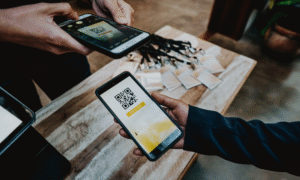
First impressions matter. With QR or barcode scanning tied directly to Salesforce, check-in lines move quickly, VIPs get flagged, and attendance data is instantly reportable for session tracking and follow-ups.
Further Reading:Stress‑Free Event Check‑In in Salesforce: Mobile Scanning
Offline mode when wi-fi fails
Offline mode isn’t just a feature — it’s a safety net that keeps check-in running smoothly, even when Wi-Fi fails.
Even great venues have dead zones. Choose a platform with true offline mode where core workflows continue, actions store locally, and sync back safely without duplicates once connectivity returns. Staff know exactly what’s synced vs pending, so nothing gets lost.
Further Reading:
5 Reliable Event Technology Must‑Haves for Success
Post‑event necessities for measuring ROI
Clean data and one source of truth
ROI reporting is only as good as the data underneath it. Salesforce-native event management keeps every registration, check-in, payment, and engagement touchpoint in Salesforce itself. That means no risky imports, fewer duplicates, and dashboards that reflect reality.
As Meghan Toth, Director of Prospect Research at Barnard College, said in a recent webinar Why Event Planners Should Care about CRM Strategy:
“Being able to use Salesforce and these reports helped us to track the same data and track the same engagement points over our prospects, over our donors lifecycles. It’s helping us use this information to prioritize not only the research but the follow-up and basically every aspect thereafter. “
Dashboards leadership actually uses
Executives don’t want dozens of spreadsheets — they want clear, actionable dashboards. In Salesforce, you can measure awareness, engagement, pipeline, gifts, or applications. Track these key metrics to prove event ROI:
- Follow-up actions completed — Were post-event outreach tasks executed on time?
- Registrations vs. targets — Did you hit your attendance goals?
- Attendance by segment — Which audiences showed up (prospects, donors, members)?
- Session popularity — Which sessions drove the most engagement?
- Payments or revenue — What was the financial return from ticket sales or donations?
- Pipeline generated — How many opportunities or applications resulted from the event?
Further Reading:
Why Mapping the Attendee Journey Matters for Better Events
Event management software comparisons
When you first start exploring tools, the promises can all sound the same: smooth check-in, better branding, higher ROI. The real difference is how well a platform works with Salesforce — and how reliably it performs when your event is under pressure.
As you evaluate, focus on the essentials:
- Can it handle peak check-in moments?
- Will it scale with your team as events grow?
- Does it meet compliance needs (PCI DSS, SOC 2, FERPA, HIPAA)?
- How does it perform when Wi-Fi fails?
- How quickly can you start using real data?
Salesforce-native vs. “integrated”: why it matters
Many tools claim to “integrate” with Salesforce, but that often means delayed syncs, duplicates, and manual exports. Salesforce-native platforms store event data directly in Salesforce objects alongside leads, contacts, and accounts. That means registrations, check-ins, payments, and follow-ups are instantly reportable without fragile connectors in the middle. Blackthorn Events and Blackthorn Essentials are both built this way: native Salesforce objects from the start, not a connected app syncing data in from somewhere else.
Read the full breakdown on the difference between Salesforce-native versus integrated.
| Feature | Salesforce-Native Tools | Integrated Tools |
|---|---|---|
| Data sync speed | Real-time (instant) | Delayed (minutes to hours) |
| Duplicate risk | Low (single system) | Higher (multiple databases) |
| Reporting reliability | High (data lives in Salesforce) | Variable (depends on sync success) |
| System of record alignment | Full alignment | Partial or manual reconciliation |
| Manual exports required | None | Often required |
Choose the right event management platform for Salesforce
The best CRM for event planners is Salesforce, but the real difference comes from the event management software you choose to pair with it. Don’t risk wasted budget or messy integrations.
Download the Salesforce Event Tech Guide to:
- Ask the right questions when evaluating vendors.
- Spot red flags before they become problems.
- Use our evaluation template to compare solutions side by side.
Make your next event tech investment with confidence.
FAQs
Q: What is the best CRM for event planners?
A: The best CRM for event planners is Salesforce. It’s already the system of record for students, donors, members, and customers, making it the strongest foundation for event success. The key is pairing Salesforce with Salesforce-native event management software, so registration, check-in, engagement, and follow-up are captured directly in Salesforce without spreadsheets or fragile integrations.
Q: Why does Salesforce-native event management matter?
A: Native solutions keep event data in Salesforce itself, so it’s always up to date. That means less exporting, fewer sync issues, and faster reporting. For many teams, this translates to cleaner data and less manual work.
Q: How do I measure event ROI in Salesforce?
A: Start simple: track how many people registered, how many attended, and what they did afterward. Did they donate, apply, book a demo, or renew membership? With Salesforce, these actions can be tied directly to campaigns, revenue, or pipeline influence, giving you a clear picture of ROI.
Q: What should I look for in event management software reviews?
A: Pay attention to what other planners say about ease of use, support, and reliability. Reviews often reveal whether the software really saves time and reduces stress—or if it creates more work behind the scenes.
Q: How do I know if an event platform is reliable?
A: Ask yourself: has the vendor supported events like mine before? Check reviews for mentions of uptime, customer support, and smooth check-in experiences. Reliable tools are the ones that planners trust to keep lines moving and data accurate even when Wi-Fi isn’t perfect.
Do event planners need a separate CRM just for events?
No. If your organization already runs on Salesforce, adding a separate CRM for events creates a second system to maintain and reconcile. The better approach is event management software built natively on Salesforce, so event data becomes part of the CRM you already have instead of a new one to manage.
Q: What is an event management CRM?
An event management CRM is software that handles event logistics, registration, check-in, and follow-up, while keeping that data inside the same CRM your organization already uses for everything else. It’s different from event software that happens to store contacts, because a true event management CRM makes event activity part of one shared record, not a separate database you maintain on the side.
See how 350+ Salesforce teams run events
Feeling boxed in by your current event tools? Not quite ready for a one-on-one?
Watch our Essentials demo to see how teams are ditching disconnected tools and running every part of their events directly in Salesforce.