Updated in August 2026; Originally published in September 2025
Event check-in in Salesforce works by matching an attendee’s QR code, barcode, or external ID to their record, then updating that record the moment a staff member scans it. There’s no export, no overnight sync, and no waiting to find out who actually showed up.
When it comes to hosting successful events, first impressions matter. And nowhere is that impression formed faster than at the door. A long line at registration or a clunky manual check-in process can frustrate attendees before they’ve even stepped into the room.
That’s why event check-in in Salesforce with mobile scanning has become a must-have for modern organizations. Whether it’s a QR code, barcode, or external ID, scan-based check-in isn’t just about speed — it’s about delivering a smooth, contactless, and data-rich experience that sets the tone for the entire event.
The problem with manual event check-in
Traditional check-in methods like paper lists, manual spreadsheets, or disconnected event apps create friction. Attendees are forced to wait while staff search their names, check boxes, and manually update attendance records later.
This doesn’t just slow things down. It also means:
- Lost data: Attendance often isn’t captured in real time.
- Errors: Manual entry mistakes muddy your reporting.
- Missed opportunities: Staff spend more time troubleshooting check-in than welcoming guests.
In today’s digital-first world, this kind of process feels outdated. Attendees expect smooth, tech-driven experiences from the very first moment, and a check-in table that can’t keep up becomes the story people tell about your event instead of the content you actually planned.
Why mobile scan-based event check-in is the solution
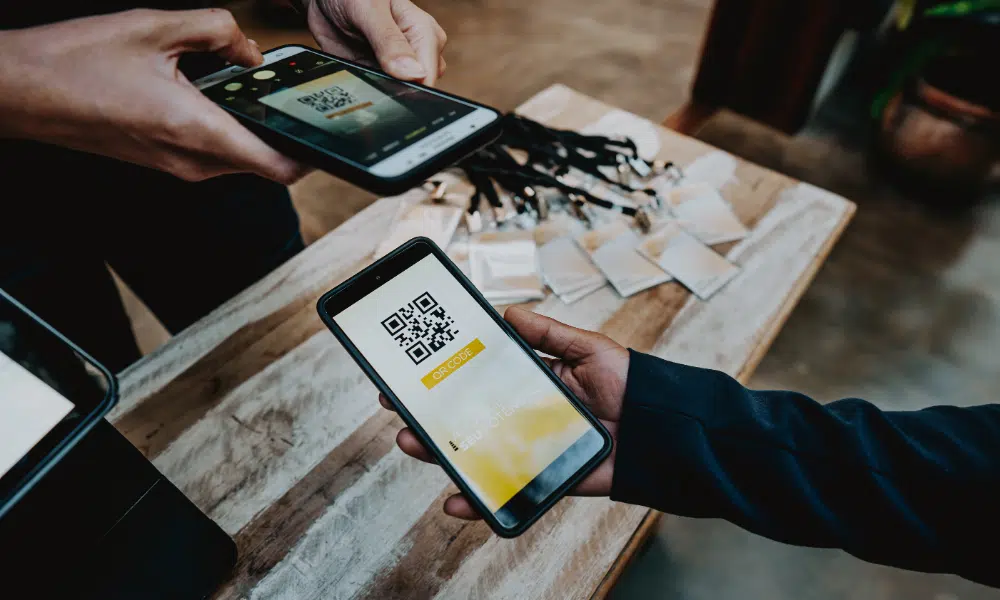
Mobile scanning brings order, speed, and accuracy to the chaos of event arrivals. Attendees simply present their personalized code delivered via email or mobile wallet, or even as a permanent ID, and event staff scan it with a mobile device. That’s it.
The benefits are immediate:
- Faster lines: each scan takes seconds, keeping traffic flowing.
- Contactless check-in: safer, faster, and now an industry expectation.
- Accurate attendance tracking in Salesforce: every scan automatically updates the attendee’s record.
- Personalized experience: codes tie directly to the individual, unlocking a more tailored onsite journey.
- VIP alerts: by instantly updating a VIP attendee’s registration status, you can set off automation to alert staff to greet a special guest.
- Group check-in: when multiple people register together, one scan checks them all in at once.
For more on the mechanics of QR codes themselves, including how they’re generated and scanned, see our guide to QR codes in event check-ins.

Setting up QR code check-in in Salesforce
Before the first scan happens, someone on your team spends a few minutes on setup. Here’s what that actually involves:
- Codes generate automatically during registration, so every attendee gets a personalized QR code, wallet pass, or permanent external ID without a separate export or upload step.
- The check-in app runs on whatever mobile devices your team already has. There’s no dedicated scanner hardware to buy and no SDK for an admin to install.
- Any staff member with the app and event access can run the table, so you’re not stuck relying on one trained operator who has to be there in person.
- Automation rules, like VIP alerts and group check-in, get configured once and then run for every future event without being rebuilt from scratch.
None of this requires a developer. If your team can already set up a registration form in Salesforce, they can set up check-in.
Enhance the experience for attendees and staff
For attendees, the experience feels simple: walk in, scan, and go. No delays. No stress.
For organizers, scan check-in reshapes the registration desk:
- Staff are equipped with just a mobile device, no bulky laptops or paper binders.
- They can focus on hospitality and connection instead of manual work.
- Every check-in action is captured instantly.
The result? The result is a smoother, more professional first impression, and a check-in table that runs itself well enough for staff to actually look up and greet the people in front of them. Our roundup of event check-in tips and best practices covers more ground on the logistics side, from venue flow to staffing the door.
When Wi-Fi isn’t reliable: offline capability
Even the best venues can’t guarantee flawless internet. At large conferences, hotel networks can quickly get overloaded. On university campuses, coverage can be patchy at best. And in historic buildings, connectivity may drop just when lines are longest.
If your event technology depends entirely on Wi-Fi, every one of those scenarios becomes a potential failure point. Offline-ready systems remove that risk by allowing check-ins to continue without interruption, with all activity stored safely on the device until it can sync later.
The result is invisible to attendees: the line keeps moving, staff stay focused, and the data is there when you need it. In high-stakes moments, this kind of reliability is what separates dependable event tech from risky tools that crumble under pressure.
Why Salesforce-native event check-in matters
Plenty of tools can generate a QR code or barcode, but only Salesforce-native event management systems ensure that check-in data lives where the rest of your customer, student, or donor data already does.
With Salesforce-native event check-in, you get:
- Real-time updates: attendance data flows instantly into your CRM.
- Cleaner CRM: no duplicate data or syncing issues.
- Instant reporting: see who attended and analyze engagement.
- Smarter follow-up: tie attendance directly to campaigns, opportunities, or giving history.
This level of connected technology turns what used to be a headache into a strategic advantage, especially once that attendance data starts feeding the reporting and follow-up work covered below.
Beyond check-in: what mobile scanning unlocks in Salesforce
Scan-based check-in doesn’t stop at the door. Once tied directly to Salesforce, scanning opens up new engagement opportunities:
- External ID scanning: perfect for ongoing groups like students, clients, or members. Assign a permanent QR code they can use for any event—no pre-registration required.
- Session tracking: monitor workshop or breakout attendance.
- Feedback collection: use scan-triggered surveys for real-time input.
- Resource sharing: give attendees instant access to materials.
- Tailored post-event outreach: use attendance data to personalize emails, appeals, or campaigns.
By combining QR code scanning with Salesforce-native event management, you shift your event strategy from reactive to data-driven.
Scanning earns its keep outside the check-in table too. For teams collecting new leads at a booth or table, Blackthorn Smart Capture scans badges and business cards directly into Salesforce, so lead capture gets the same real-time treatment as attendee check-in.
How event attendance tracking works in Salesforce
Attendance tracking starts with the same scan that checks someone in. The moment a code is scanned, Blackthorn updates the attendee’s Contact or Lead record directly, so there’s no export to run, no batch job to wait on, and no spreadsheet to reconcile after the fact.
From there, that single scan feeds three places at once:
- The Contact or Lead record itself, where the check-in timestamp and attendance status sit alongside everything else you already know about that person.
- Campaign member status, which updates automatically so attendance ties directly to the campaign that drove the registration, instead of living in a separate check-in system you have to cross-reference later.
- Live dashboards and reports, built on standard Salesforce reporting, that show who’s checked in and who’s still expected while the event is still running, not the next morning.
That real-time link between check-in and campaign member status is what makes the difference between assuming everyone got credit for attending and being able to prove it. A registrant who never showed up needs a different follow-up than someone who sat through every session, and you can only automate that distinction if attendance data lands on the record before your follow-up sequence starts.
For multi-session events, the same mechanism scales down to the session level. Each breakout or workshop can have its own check-in, so you can track session-specific attendance, enforce capacity limits, and report on which sessions actually filled up, not just who walked through the front door.
For the fuller picture on what to track and why it matters once the event wraps, see our guide to event attendance tracking.
Who this actually helps, beyond the person at the door
Event check-in touches more people than the two staffing the table.
- Salesforce admins get one more data source that already respects existing field-level security and sharing rules, instead of a new system to provision and secure on its own.
- Marketing and events teams get attendance tied to the campaign that drove the registration, so the ROI conversation after the event starts with real numbers instead of a guess.
- Sales and RevOps get to see who’s actually in the room in real time, which matters when a rep is working a conference floor and deciding who to prioritize before the day ends.
The future of smart events starts with the first scan
Whether it’s a QR code, barcode, or permanent external ID, mobile scanning transforms event check-in from a bottleneck into a launchpad for engagement. It cuts lines, reduces friction, and gives your team real-time Salesforce data to act on immediately.
Most importantly, it sets the tone for a modern, personalized, and professional experience from the very first moment.
In today’s world, speed and personalization aren’t extras, they’re expectations. Mobile scan-based check-in isn’t just a nice-to-have anymore. It’s essential.
Curious what that looks like in practice? Watch a 2-minute walkthrough of mobile event check-in in Salesforce and see how it can transform your next event.
Ready to streamline your event planning and attendee management?
See how Blackthorn Events helps you run in-person, virtual, and hybrid events directly in Salesforce.