

If you’re the one updating a shared spreadsheet every time a sponsor table’s guest list changes, or logging into a separate registration tool to double-check who’s signed up for which breakout session, you already know your current setup wasn’t built for this. The real question is whether it’s costing you enough yet to do something about it.
Two situations expose this gap constantly: selling a table, team, or sponsorship block to one buyer, and running an event with more than one session or track. Most event registration software handles a single person registering for a single ticket just fine. The moment either of those gets more complicated, the software hands the complexity back to you — usually in the form of a spreadsheet, a bolt-on tool that doesn’t talk to your CRM, or both.
Problem one: group and table sales still mean manual follow-up

A table sponsorship, a golf foursome, a block of conference seats — someone buys the whole group, but they usually don’t have every attendee’s name at the time of purchase. Most registration software either forces the buyer to enter everyone’s details on the spot or treats the sale as one line item and leaves the rest to you: an email asking for a roster, a shared spreadsheet, names trickling in late or not at all, then someone on your team re-keying it all into your CRM by hand.
Table & Block Ticketing, part of Blackthorn Events‘ August 2026 release, separates the purchase from the guest list on purpose. The buyer pays for the whole group in one checkout, then fills in each guest’s details afterward through AttendeeLink, on their own timeline, up to a deadline you set — and it lands directly in Salesforce®, no spreadsheet in between.
Problem two: session conflicts and capacity still get caught after the fact

If your event has more than one track or breakout session, you’ve likely dealt with someone registering for two sessions at the same time, a workshop overselling past its room capacity, or a session ending up with attendees who shouldn’t have had access.
Most registration software lets you list sessions and lets attendees pick, but doesn’t stop selections that conflict or exceed what a ticket type is allowed to choose. So someone on your team catches it after registration closes, usually by cross-checking a report or a separate tool, if they catch it at all.
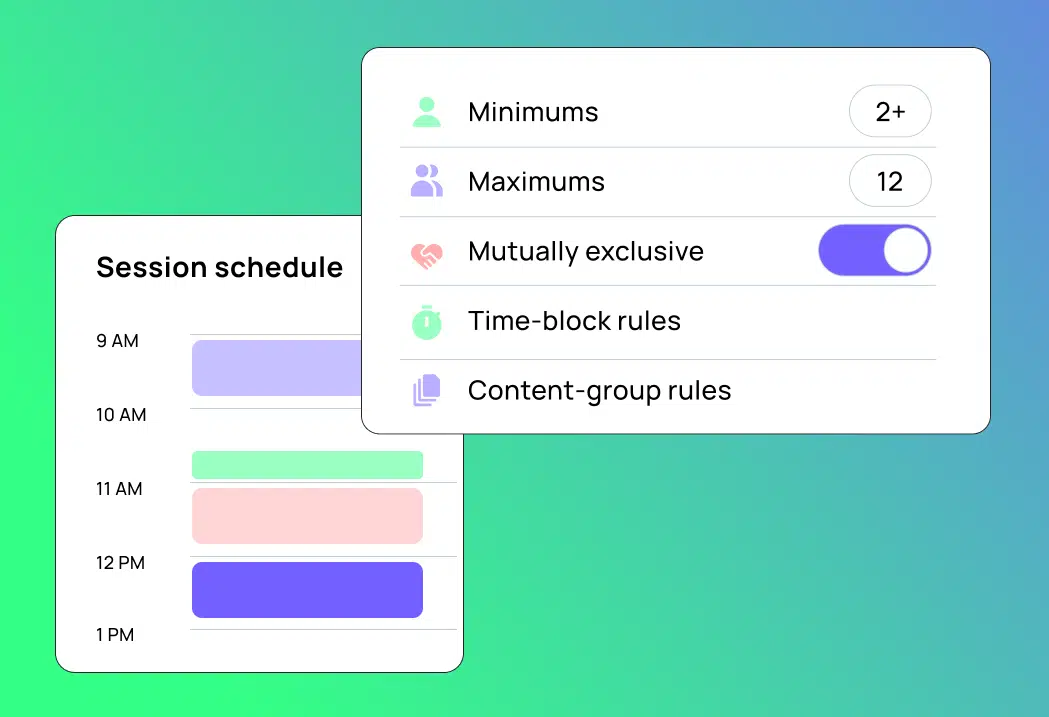
Session selection and Session Rules, also part of Blackthorn’s August 2026 release, enforce that at the point of registration: per-ticket session minimums and maximums, Time Block rules that prevent double-booking, and Content Group rules that keep track-based selections sane — all set directly in Event Builder.

What changes when it’s native instead of bolted on
A lot of event registration tools describe themselves as working “alongside” or “integrated with” Salesforce. In practice, that usually means data syncs on a schedule, gets exported and imported, or lives in two places that need reconciling. Here’s the practical difference at the moment these two problems show up:
| Spreadsheet or bolt-on registration tool | Native inside Salesforce with Blackthorn Events | |
| Group/table guest details | Collected outside the CRM, then manually entered or imported later | Entered by the Group Coordinator through AttendeeLink, written directly to the connected record |
| Session conflicts | Caught by someone reviewing a report after registration closes | Prevented at checkout by Time Block and Content Group rules |
| Reporting on the event | Requires exporting registration data to match it against CRM records | Already part of the same Salesforce data your team reports from |
| Where the manual work lands | On your team, after the fact | Handled at the point of purchase or registration |
Questions worth asking before you renew or switch
If you’re at the point of evaluating your current registration tool, whether that’s a renewal decision or a genuine search for something else, these are worth asking directly:
- When a buyer purchases a group or table, where does the rest of the guest list end up, and who enters it into your CRM?
- What actually stops someone from registering for two sessions at the same time, or a workshop from overselling?
- If you exported your event data today, would it already match your CRM records, or would someone need to reconcile it first?
If the honest answer to any of these is “a spreadsheet” or “someone on our team,” that’s the gap this piece is about.
Common questions about the new feature
Are group ticketing and session management really separate problems, or related? They’re separate features solving different moments in the same event, but they share a root cause: most registration software assumes one person, one ticket, one session, and both problems show up whenever that assumption breaks down.
Do I need both features, or just one? That depends on how you run events. If you sell tables, teams, or sponsorship blocks, Table & Block Ticketing addresses that directly. If you run multi-track or multi-session events, Session Rules does. Many organizations running conferences or galas end up using both.
Is this specific to nonprofits, or does it apply to corporate events too? Both. Nonprofits and associations run into this with sponsor tables and multi-track conferences; corporations run into it with team registrations and internal conferences or summits. The underlying gap is the same either way, regardless of which registration tool sits outside the CRM.
Want to see both features in action? Request a demo.
Ready to stop juggling tools and start running smarter events?
Schedule a demo and see how Blackthorn works inside Salesforce.


