The best Eventbrite alternative for Salesforce users is a Salesforce-native event platform, such as Blackthorn Events, that records registration and attendance data directly into your Salesforce records instead of syncing from a separate ticketing system.
Eventbrite is a genuinely good starting point for events, but as organizations centralize on Salesforce, its per-ticket fees, limited customization, and connector-based integration start to work against the team, not for it. A Salesforce-native event platform can save you money in the long run and can save you lots of time and frustration that comes from pushing (and ultimately losing) data via a Salesforce integration.
Here’s how to tell whether you’ve outgrown it and what to look at instead.
What Eventbrite does well
Credit where it’s due: Eventbrite earned its reputation for a reason. It’s fast to set up, free events publish at no cost, and its consumer marketplace gives organizers access to people actively browsing for things to do. For a community meetup, a one-off public event, or a team that isn’t running its business through Salesforce, that combination is hard to beat.
That’s the audience Eventbrite is built for: self-service organizers who need to publish quickly and don’t need the event to talk to anything else. But if your organization has grown into a Salesforce-centric operation, the same simplicity that makes Eventbrite easy to launch will start to show its limits.
6 signs you’ve outgrown Eventbrite
Outgrowing Eventbrite isn’t about event volume alone. It’s about how connected your events need to be to the rest of your business.
If 3 or more of these signs sound familiar, it might be time to do the math. Here are the most common signs you might have outgrown Eventbrite:
- Your event data lives in Eventbrite while your customer data lives in Salesforce, and the two don’t update each other in real time.
- You’re paying per-ticket fees that grow every time an event does well.
- You need branded registration pages that don’t put Eventbrite’s own interface between you and your attendees.
- Your sales team needs to see event attendance history directly on the Contact, lead, or Account record, not in a separate export.
- You’re managing multi-session conferences with registration paths more complex than a single ticket type.
- You need to report on event-influenced pipeline inside Salesforce, using the same Campaigns and dashboards your team already relies on.
What do Eventbrite fees actually add up to?
Eventbrite’s per-ticket fee formula is public: (ticket price × 3.7%) + $1.79 per ticket, plus 2.9% payment processing on the order total (Eventbrite Help Center). Free events stay free, which is exactly how most teams get started with Eventbrite. But the fee shock shows up later, once you start scaling to paid events.
(Current in July 2026, using information publicly available online) Here’s what that formula works out to at a few common price points:
| Ticket Price | Total fees per ticket | Effective rate |
| $25 | $3.44 | 13.8% |
| $50 | $5.09 | 10.2% |
| $100 | $8.39 | 8.4% |
| $200 | $14.99 | 7.5% |
The rate drops as ticket price rises, but the dollar amount never does, and there’s no fee cap. Eventbrite removed its per-ticket fee cap in 2018, so the more successful an event is, the more it costs to run.
Scale that across a year of events, and the pattern gets clearer. At a $50 average ticket price:
| Registrations per year | Total Eventbrite fees |
| 100 | $509 |
| 500 | $2,545 |
| 1,000 | $5,090 |
| 5,000 | $24,450 |
What are Eventbrite’s limitations around event data?
Eventbrite stores registrations in its own system, not in Salesforce. If your Salesforce admin has set up the Eventbrite-Salesforce connector, that gap gets bridged, partially.
A few documented Eventbrite limitations are worth knowing before you rely on it:
- Data doesn’t update existing Salesforce records. Without Eventbrite webhook support, the connector can create new Contact or Lead records, but standard field mapping won’t update ones that already exist.
- Custom registration answers can get lost. If a question on your registration form isn’t tied to a specific Salesforce field, that answer may never make it into Salesforce during import.
- Validation rules can break batch updates. If your org has a validation rule that requires a field Eventbrite doesn’t collect, the sync can fail rather than partially complete.
- API access is rate-limited. Eventbrite’s API caps out at 1,000 calls per hour and 48,000 per day per token (Eventbrite Platform docs). It’s workable for a single event, but tighter for programs with high volume or several integrations at once.
None of that makes the connector broken. It creates a second system that someone on your team has to actively maintain, field-map, and troubleshoot: work that disappears entirely when event data writes directly to Salesforce.
That’s not just a fee argument: it’s an architecture issue. A Salesforce-native event platform writes registration and attendance data directly onto your existing Salesforce objects, so reporting, campaign attribution, and security inherit the settings you’ve already built, instead of depending on what a connector happens to map.
The biggest benefit? There’s no field-mapping to babysit and no delay between registration and a reportable record. For teams already running pipeline, fundraising, or customer success through Salesforce, that’s the difference between event data as an afterthought and event data your team can act on the moment it’s created. That’s the logic behind Blackthorn’s Salesforce event management and registration.
Here’s how that plays out feature by feature.
How does Eventbrite compare to Blackthorn?
| Capability | Eventbrite | Blackthorn Events |
| Data lives in your Salesforce org | No | Yes |
| Registration and check-in are linked directly to Salesforce records | No | Yes |
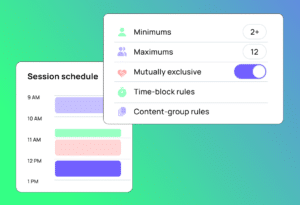
| Multi-session conference management | Partial | Yes |
| Branded registration pages, no vendor UI | Partial | Yes |
| Custom registration forms with conditional logic | Patrial | Yes |
| Badge printing | No | Yes |
| Real-time Salesforce reporting and campaign influence | No | Yes |
| SMS to event registrants | No | Yes |
| Consumer event marketplace and discovery | Yes | No |
| Free event publishing | Yes | Yes |
| Mobile check-in | Yes | Yes |
Eventbrite wins on public discovery. Their centralized, public platform makes it easy for people to discover your events, but this also means other events could end up ‘cross-promoted’ on your landing page. Blackthorn wins on everything downstream of registration: reporting, attribution, and how much of the process your team can run without leaving Salesforce.
How this shows up differently for event planners and Salesforce Admins
The Eventbrite-to-native conversation lands differently depending on your role.
Event planners feel it in the day-to-day: building a registration page that still looks like Eventbrite instead of your brand, exporting a spreadsheet to know who actually showed up, or explaining to a stakeholder why last week’s attendance numbers aren’t in the CRM yet. A platform built for planners to configure directly, without a developer or a connector in the middle, changes how much of that work you own outright.
Salesforce admins feel it as maintenance: field mappings that break when either platform updates its schema, sync errors that only show up inside Eventbrite’s dashboard instead of Salesforce, and being the first call when someone asks why a Contact record looks out of date. A native platform removes that maintenance line item entirely, because there’s no second system to keep in sync.

Both problems trace back to the same root cause: Eventbrite and Salesforce are two separate systems connected by a bridge, and someone on your team is responsible for maintaining that bridge.
When is Eventbrite the right choice for my events?
This isn’t a case against Eventbrite across the board. It’s still a solid choice if:
- You’re running events where marketplace discovery matters more than CRM data.
- Your events are free or low-cost and simple enough that a single ticket type covers it.
- Salesforce isn’t where your organization’s customer or donor data lives.
- You don’t need attendee data to connect to a sales or outreach pipeline.
If that describes your events program, keep it running. The rest of this guide is for the team that’s outgrown it.
When should I consider switching to an Eventbrite alternative built for Salesforce?
The switch conversation gets easier once you recognize your own team in these situations, and once you can picture what event management without Eventbrite’s per-ticket fees would actually look like for your program:
- Your organization runs B2B events — customer conferences, partner summits, field marketing — where attendance needs to show up in pipeline reporting.
- You need registration pages that look and feel like your brand, not Eventbrite’s.
- Your sales or customer success team wants event attendance visible on the Account record without a manual export.
- You’re planning multi-day events with sessions, tracks, and capacity limits that a single ticket type can’t represent.
- Per-ticket fees have become a line item someone in finance is asking about.
For Salesforce-centric teams, the value isn’t just avoiding fees: it’s that every workflow, report, and automation already built in Salesforce works with event data automatically, instead of waiting on a sync. That’s the architectural difference behind native versus integrated event management.
What’s involved in switching from Eventbrite?
Moving off Eventbrite is a real project, but it’s closer to a configuration effort than a rebuild:
- Export and map historical data. Pull past registration and attendance records out of Eventbrite and map them to the Salesforce objects your team already reports on.
- Run a parallel period. Most teams launch upcoming events on the new platform while keeping Eventbrite data available for historical reference.
- Communicate the change to attendees. A short note in your next event email — new registration link, same event, better experience — covers most of what past attendees need to know.
None of this requires rebuilding your Salesforce data model. A native platform works on the standard and custom objects your org already has, so the heavier lift is usually planning the cutover timing around your event calendar, not the technical migration itself.
Ready to move beyond per-ticket fees? See what Salesforce-native event management looks like. Book a demo.
FAQs about Eventbrite vs Blackthorn
What are the best Eventbrite alternatives for business events?
If your company already relies on Salesforce, the strongest alternatives are Salesforce-native platforms, such as Blackthorn Events, that write registration data directly to Salesforce rather than syncing it from a separate system. Standalone platforms like Cvent or Bizzabo are also common alternatives, though they connect to Salesforce the same way Eventbrite does, through a connector, not natively.
Does Eventbrite integrate with Salesforce?
Yes, through a connector that can create new Contact and Lead records from registrations. It has documented limitations, though: it doesn’t reliably update existing Salesforce records, and answers to custom registration questions can be lost during import if they aren’t mapped to a specific field.
Why do companies switch from Eventbrite?
Based on the pattern across G2 and Capterra reviews, the most common reasons are per-ticket fees that grow with event success, attendee data living outside the CRM, limited branding and customization, and the lack of native support for complex, multi-session events.
Is Eventbrite good for corporate events?
It works well for simple, single-session corporate events where marketplace discovery and fast setup matter most. It becomes harder to justify for organizations that need branded experiences, sponsor and exhibitor management, or event data connected to Salesforce pipeline reporting.
How much does Eventbrite actually cost per ticket?
Eventbrite charges (ticket price × 3.7%) + $1.79 per ticket, plus 2.9% payment processing per order. On a $25 ticket, that works out to about $3.44 in total fees, or roughly 13.8% of the ticket price. There’s no fee cap, so costs rise in step with attendance.
Is Eventbrite still a good company after being acquired?
Eventbrite was acquired by Bending Spoons for approximately $500 million in a deal that closed in March 2026, and it now operates as a private company rather than a publicly traded one. That’s worth factoring into any long-term platform decision, particularly for teams evaluating whether their event data should sit inside a third-party platform’s roadmap or inside their own Salesforce org.
Ready to streamline your event planning and attendee management?
See how Blackthorn Events helps you run in-person, virtual, and hybrid events directly in Salesforce.