If you sell table sponsorships, golf foursomes, or blocks of conference seats, you already know how this usually goes: one buyer pays for the whole group, and you’re the one who ends up chasing the other names, dietary restrictions, and session picks by email — usually more than once, usually right up against your deadline.
That’s not a training issue or a you-problem. Most event registration software is built around one person registering themselves, so a group purchase either forces the buyer to enter everyone’s details on the spot (which they usually don’t have yet) or gets treated as a single line item and dumped back on your team to sort out manually.
Conference registration software and general ticketing platforms alike tend to bolt group handling on as an afterthought, and leaving a bunch of manual work for you, instead of building for it directly.
Blackthorn Events‘ Table & Block Ticketing, part of the August 2026 release, was built around the actual problem: let the buyer pay for the whole group now, and fill in the guest list later, without a spreadsheet or an email chain in between.
What replaces the email chain
Here’s what it looks like in practice:
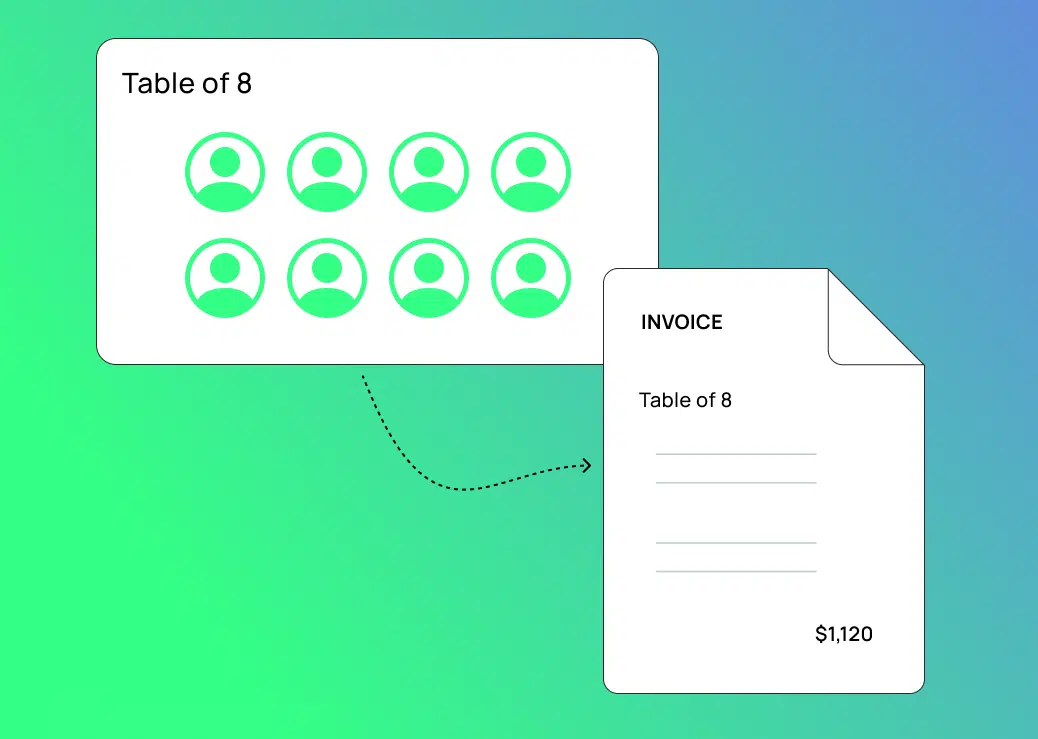
- On your registration page, the buyer sees their table or block option — “Table of 10,” “Foursome,” whatever fits your event — alongside your standard tickets. They select it and pay for the whole group in one checkout, answering registration questions for themselves only.
- Their confirmation email includes their AttendeeLink, where the remaining seats show up as open placeholders instead of a blank spreadsheet row.
- As their guest list comes together, they open AttendeeLink, click into each seat, and fill in that guest’s details themselves. The same registration questions you set up, synced straight to Salesforce® the moment they hit save.
- You set the deadline for when guest details are due. Whatever’s been entered by then is what you work with.
No one on your team is following up by email or re-keying names from a spreadsheet. The buyer manages their own group, on their own timeline, up to a deadline you control.
Who can benefit from this new feature
- Nonprofit galas and fundraisers. Table sponsorships are often a top revenue line for nonprofit events, but table captains rarely have their guest list locked in at the time of purchase. This gives them a way to fill it in as it comes together, instead of routing every name through your inbox.
- Golf tournaments. A foursome sells as one package, but contact details, shirt sizes, and handicaps for four people rarely arrive at once. Same fix applies.
- Conferences and corporate group registrations. A company buys a block of seats before travel and budget approval are final. The buyer can pay now and add teammates as plans firm up.
What to look for if you’re comparing event ticketing options
If you’re evaluating event ticketing for nonprofits, conference registration software, or golf tournament registration software, don’t assume group and table sales are handled well. Ask vendors directly: how does a buyer distribute a group purchase to individual attendees, and who’s responsible for entering that data if the buyer doesn’t get to it? For a lot of platforms, the honest answer is still “your team, manually.”
Because Blackthorn Events runs natively on Salesforce, every attendee added through Table & Block Ticketing becomes part of the same connected record your team already reports from — no export, import, or reconciliation between your registration tool and your CRM.
Frequently asked questions
Does the buyer have to know every guest’s information before they purchase a table or block? No. The buyer only answers registration questions for themselves at checkout. The rest of the seats get filled in later through AttendeeLink, up to the deadline you set.
What’s the difference between a table sponsorship and a regular group ticket? The mechanics are the same — one buyer, multiple seats. “Table sponsorship” usually implies a fundraising or visibility angle at a nonprofit event, while “group ticket” is the broader term used for corporate teams, tournaments, or conference blocks.
What happens if a guest’s details aren’t filled in by the deadline? The event runs with whatever’s been entered by that point, so it’s worth setting a deadline that gives coordinators enough runway without cutting it too close to the event.
Is a table sponsorship tax-deductible? Part of it can be, but typically only the portion that exceeds the fair market value of what the buyer receives (a meal, for example), and this varies by organization and situation. This isn’t tax advice — buyers should confirm with a tax professional, and nonprofits should provide the required donation acknowledgment.
Ready to see how Table & Block Ticketing works? Book a demo.
Ready to streamline your event planning and attendee management?
See how Blackthorn Events helps you run in-person, virtual, and hybrid events directly in Salesforce.